Hello!
I feel like I should know this as a Crossref employee, but I’ve also come upon this question outside of and prior to my work with Crossref, so I figured it might be worth asking publicly since I didn’t already see the answer on here.
DOIs are intended to be persistent identifiers but they can only be persistent if the members who register them update their landing page URLs if the landing pages change. Sometimes, I run across a DOI that has been registered (i.e., it does not resolve to the DOI Foundation error page, below) but it doesn’t lead where it’s supposed to. It might lead to a blank page, a 404 error, a gambling website that has usurped the old publisher’s domain, or even a proper landing page but for the wrong article!
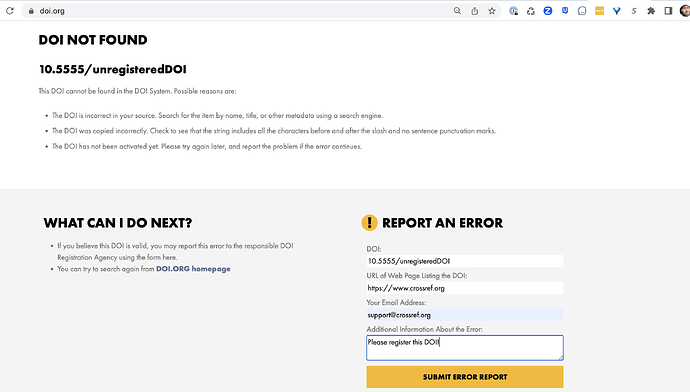
When a DOI is unregistered, as in the image above, it’s easy to use the DOI Foundation’s form to report the unregistered DOI to the publisher. But it’s not always clear where to send reports of DOIs that are registered but don’t resolve where they should. Should I as a researcher/librarian/random person try to contact the publisher myself? Or should I connect with Crossref - and if so, what’s the best way to do this?
Thank you!